Jenny Mod Gameplay: Features, Characters, Interactions, and Tips
Jenny Mod changes Minecraft by adding custom NPC characters, dialogue, animations, and companion-style features. Instead of focusing only on building, mining, and survival, the mod adds more character interactions and role-play options. You can meet custom characters, interact with them, and use different features added by the mod.
Gameplay can vary depending on the version you install. The classic Java version is commonly linked to Minecraft Forge 1.12.2, while Bedrock and MCPE versions may work differently. This guide explains how Jenny Mod gameplay works, its main features, character interactions, and useful tips. Install it first from our Jenny Mod download page to try it yourself.
What Is Jenny Mod Gameplay?
Jenny Mod gameplay focuses on interacting with custom NPC characters in the Minecraft world. Most of the gameplay revolves around the Jenny Mod characters that spawn in your world.
The mod adds an extra layer of interaction while keeping the normal Minecraft gameplay. Depending on the version, players may be able to:
- Interact with custom NPCs
- Use dialogue options
- Give items or gifts
- Travel with companions
- See custom animations
- Create role-play situations
The main goal is to make the Minecraft world feel more interactive.
Does Jenny Mod Change Normal Minecraft Gameplay?
Jenny Mod does not remove Minecraft’s main features. You can still:
- Mine resources
- Build structures
- Explore biomes
- Craft items
- Fight mobs
- Play survival worlds
The mod adds new character-based features alongside the normal Minecraft experience.
How Does Jenny Mod Gameplay Work?
Jenny Mod adds custom NPCs and extra interaction features to Minecraft. The exact gameplay can vary depending on your Minecraft version and the mod build you install.
Starting Your First Jenny Mod World
After installing the compatible mod, start Minecraft with the required mod loader.
- Launch Minecraft with the correct mod loader.
- Create a new world or open an existing one.
- Find or spawn the custom NPC.
- Use the available options to interact with the character.
The steps may be different for Java Edition and Bedrock Edition.
Interacting With Jenny and Other NPCs
Character interaction is a main part of Jenny Mod gameplay. Depending on the version, you may be able to use:
- Dialogue options
- Character responses
- Item exchanges
- Companion commands
- Custom animations
Features and character responses can vary between different releases.
Jenny Mod Gameplay Features
Jenny Mod adds several character-based features that make interactions different from normal Minecraft gameplay. The available features depend on the version you install. Nothing starts until you follow how to find Jenny in Jenny Mod.
Interactive NPC Companions
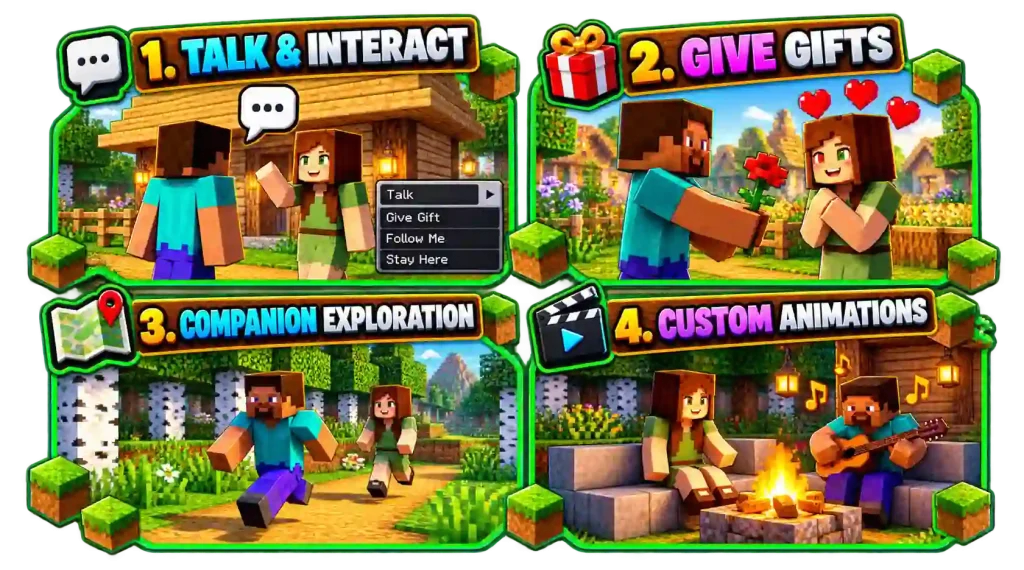
Jenny Mod adds custom NPC characters that provide more interaction than standard Minecraft mobs.
Depending on the version, companions may offer:
- Character conversations
- Custom reactions
- Following behavior
- Role-play interactions
- Different responses to player actions
Some versions may also include commands such as follow, stay, or wander.
Custom Animations
Some Jenny Mod versions include custom animations for its characters. These animations can make the NPCs feel more active during interactions.
These may include:
- Walking movements
- Idle actions
- Character reactions
- Special animation sequences
The available animations depend on the specific version or community build.
Dialogue and Conversations
Dialogue gives players another way to interact with the custom characters. The available conversations can change between different releases.
Depending on the version, conversations may include:
- Greetings
- Character responses
- Story-style interactions
- Reaction messages
Gift and Item Interactions
Some versions allow players to use items when interacting with characters. The response may depend on the item and the mod version.
Examples may include:
- Flowers
- Food
- Emeralds
- Diamonds
- Special mod items
Jenny Mod Characters and Their Roles
Jenny Mod focuses on custom NPC characters and their interactions with the player. The characters and available features can change depending on the version. Get the correct version from Jenny Mod CurseForge so nothing breaks mid-game.
Jenny Character
Jenny is the main character associated with the mod. She is designed as an interactive NPC with different dialogue and companion features.
Common features may include:
- Dialogue interactions
- Custom animations
- Companion behavior
- Role-play features
Other Characters
Some versions may include additional characters besides Jenny. Their features and interactions can vary between different releases.
These characters may have:
- Different appearances
- Unique dialogue
- Different interaction styles
- Separate animations
The available character list depends on the version you install.
Jenny Mod Gameplay Features
Jenny Mod can work differently on Java and Bedrock Edition. The file type, installation method, and available features depend on the edition.
Java Edition Gameplay
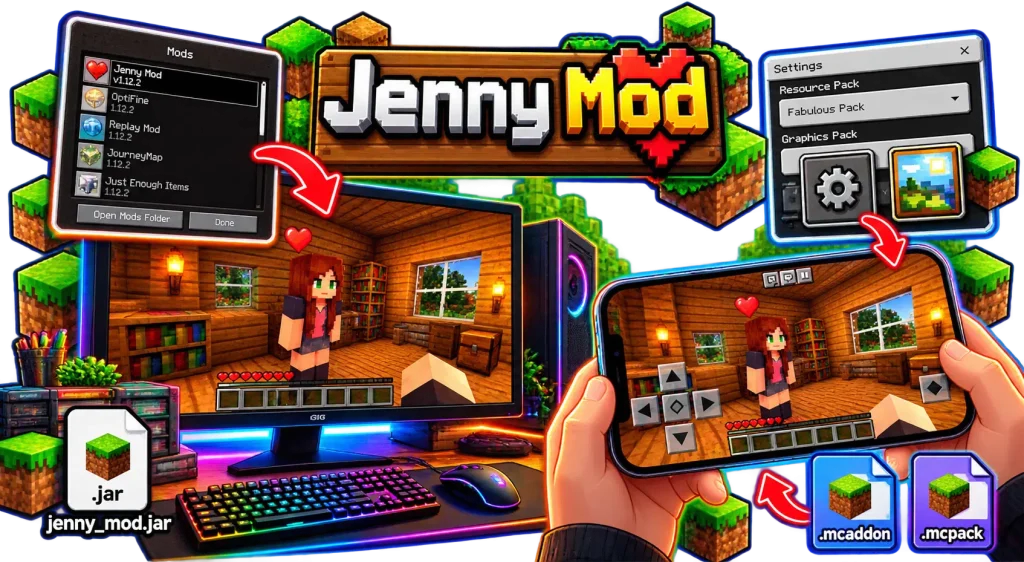
The classic Java setup is commonly associated with Minecraft 1.12.2 and the Forge mod loader.
- Minecraft 1.12.2
- Forge mod loader
- .jar mod files
Java Edition supports many types of Minecraft mods, so some versions may include more advanced interactions and animations.
Bedrock and MCPE Gameplay
Bedrock Edition uses a different add-on system from Java Edition. Mobile and Bedrock versions commonly use files such as:
- .mcaddon
- .mcpack
- Resource packs
- Behavior packs
Features may not be the same as the Java version. Always check the Minecraft edition and version before installing a Jenny Mod file.
Jenny Mod Gameplay Tips for Beginners
If you are using Jenny Mod for the first time, a few simple steps can help prevent common problems. Start with a clean setup and test the mod before adding other changes. iPhone players can’t access this gameplay at all, covered in Jenny Mod iOS.
Use a New Minecraft World First
Create a new world or make a backup before testing the mod. This can help protect your existing progress if something goes wrong.
Problems may come from:
- Mod conflicts
- Damaged files
- Compatibility issues
Check Your Minecraft Version
Using the wrong Minecraft version is a common cause of mod problems. Check these details before starting the game:
- Minecraft version
- Mod loader
- Mod file version
- Required dependencies
Avoid Mixing Too Many Mods
Other mods can sometimes cause conflicts with Jenny Mod. Test Jenny Mod by itself first, then add other mods one at a time.
Common problems include:
- Game crashes
- Missing textures
- Loading errors
Common Jenny Mod Gameplay Problems
Some gameplay problems are caused by incorrect versions, missing files, or mod conflicts. Check the basic installation details before changing anything else.
Characters Are Not Appearing
If the characters do not appear, check:
- Minecraft version
- Mod installation
- Required dependencies
- Forge profile
- mods folder
Animations Are Missing
Missing animations can happen when the installed version does not include them or required files are missing.
Check whether you are using the correct version and whether all required files are installed.
Minecraft Crashes After Installing Jenny Mod
Crashes may be caused by:
- Forge version mismatch
- Java version issues
- Conflicting mods
- Damaged or incompatible files
Try running Jenny Mod by itself to see if the problem continues. The mechanics come from the Jenny Mod creator and his updates.
Is Jenny Mod Gameplay Available on Multiplayer?
Multiplayer support depends on the mod version and server setup. A server may also have its own rules about which mods players can use.
Before playing online, check:
- Minecraft version
- Server setup
- Mod compatibility
- Server rules
Jenny Mod Gameplay vs Normal Minecraft
Jenny Mod adds character-based interactions that are different from standard Minecraft. The exact features depend on the version you install.
Feature | Normal Minecraft | Jenny Mod Gameplay |
NPC Interaction | Mainly villagers | Custom character interactions |
Dialogue | Basic villager interactions | Character conversations |
Companions | Limited options | Companion-style features |
Animations | Standard mobs | Custom character animations |
Role-play | Mostly player-created | Additional NPC features |
Frequently Asked Questions
What can you do in Jenny Mod?
Jenny Mod allows players to interact with custom NPC characters, use dialogue features, experience animations, and add companion-style gameplay elements.
Is Jenny Mod gameplay the same on Java and Bedrock?
No. Java and Bedrock versions use different systems, so features may vary between editions.
Does Jenny Mod change normal Minecraft survival?
No. It mainly adds character interaction features while keeping Minecraft’s normal building, crafting, and exploration mechanics.
What Minecraft version is best for Jenny Mod gameplay?
The commonly known Java version is associated with Minecraft 1.12.2 and Forge.
Why are some Jenny Mod gameplay videos different?
Different videos may use different versions, remakes, add-ons, maps, or modified builds. Features are not always identical across every release.
Final Thoughts
Jenny Mod gameplay gives Minecraft players a different experience by focusing on interactive characters, custom animations, dialogue, and companion-style features.
The gameplay experience depends heavily on the version being used. Java Edition, Bedrock Edition, and community-made versions may include different features and requirements.
Before installing or playing, always check Minecraft compatibility, use the correct files, and understand what version you are using.
With the right setup, Jenny Mod can add a unique role-play and character interaction experience to your Minecraft world.
Pingback: Who Made Jenny Mod? The Creator Behind the Mod
Pingback: How to Find Jenny in Jenny Mod (Fast Spawn Guide)
Pingback: Jenny Mod CurseForge: Safe Download & Install Guide
Pingback: Jenny Mod GIFs & Animations (2026): Types, Controls & Guide
Pingback: Jenny Mod GIFs & Animation: See Every Move In Action (2026)