- Minecraft Mod Guide
Jenny Mod iOS: How to Download and Install on iPhone and iPad
Jenny Mod iOS is searched by Minecraft players who want Jenny-style characters and custom gameplay on an iPhone or iPad. The important thing to understand is that iOS uses Minecraft Bedrock Edition, not the Java Forge setup commonly used on PC. Android and PC players can get the files from our Jenny Mod page instead.
Can You Get Jenny Mod on iOS?
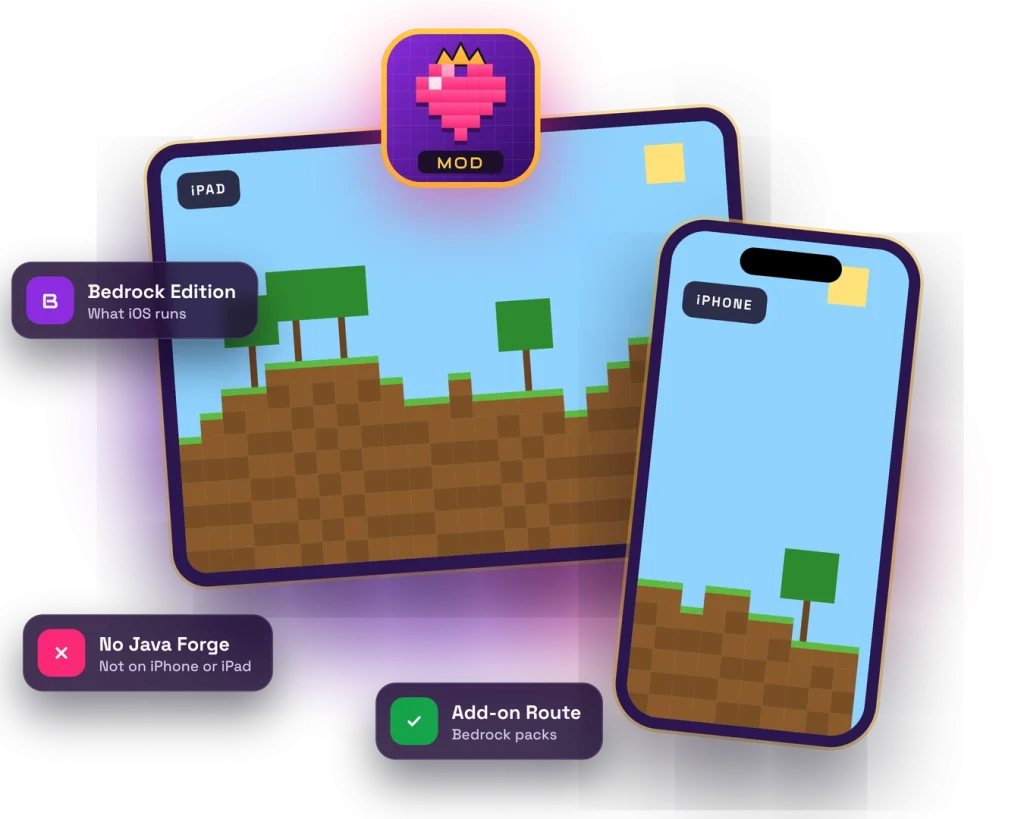
Yes, a Jenny-style add-on can work on iPhone or iPad when it is made for Minecraft Bedrock Edition. The official files live on Jenny Mod CurseForge, which is Java only.
The original Java Forge mod does not run directly on iOS. Minecraft officially lists Apple iPhone and iPad as Bedrock platforms, while Java Edition is used on PC platforms such as Windows, Mac, and Linux.
Minecraft Bedrock supports add-ons that can change or add content such as mobs, items, blocks, recipes, Resource Packs, and Behavior Packs.
The main difference is:
| Platform | Common File Type | Forge Needed? |
|---|---|---|
| Minecraft Java on PC | .jar | Commonly |
| Minecraft Bedrock on iPhone | .mcaddon / .mcpack | No |
| Minecraft Bedrock on iPad | .mcaddon / .mcpack | No |
| Android Bedrock | .mcaddon / .mcpack | No |
An Android .apk, Windows .exe, or Java Forge .jar is not the normal way to install a Bedrock add-on on an iPhone or iPad.
Jenny Mod iOS Requirements
Before trying a Jenny Mod Bedrock add-on, make sure your device and Minecraft installation meet the basic requirements. See what iPhone users are missing in our Jenny Mod gameplay guide.
You normally need:
- An iPhone or iPad
- Minecraft Bedrock Edition
- Safari or another browser
- The Files app
- A compatible .mcaddon or .mcpack file
- Enough free storage
- A Minecraft version supported by the add-on
- Resource Pack and Behavior Pack support
- Experimental settings only if the specific add-on requires them
The current Minecraft App Store listing requires iOS 13.0 or later on iPhone and iPadOS 13.0 or later on iPad.
The Minecraft version is also important. An add-on made for an older Bedrock release may not work correctly after a Minecraft update.
How Jenny Mod iOS Works
On iPhone and iPad, the process is based on importing a Bedrock add-on into Minecraft rather than installing a traditional PC mod. That includes every one of the Jenny Mod characters in the mod.
A typical workflow is:
- Download a compatible .mcaddon or .mcpack file.
- Open the downloaded file from the Files app.
- Choose Minecraft when iOS gives you an option to open or share the file.
- Let Minecraft import the pack.
- Open the world settings.
- Activate the required Resource Pack and Behavior Pack.
- Start the world and check whether the characters and features load correctly.
Minecraft’s official instructions confirm that Bedrock add-ons are activated through the Resource Packs and Behavior Packs sections of a world.
Jenny Mod iOS vs Jenny Mod Java
Jenny Mod iOS should not be treated as the same package as the better-known Java version.
The Java version is associated with Minecraft Java Edition and commonly uses Forge. An iPhone or iPad uses Bedrock Edition, so a mobile version needs to be packaged as a compatible Bedrock add-on.
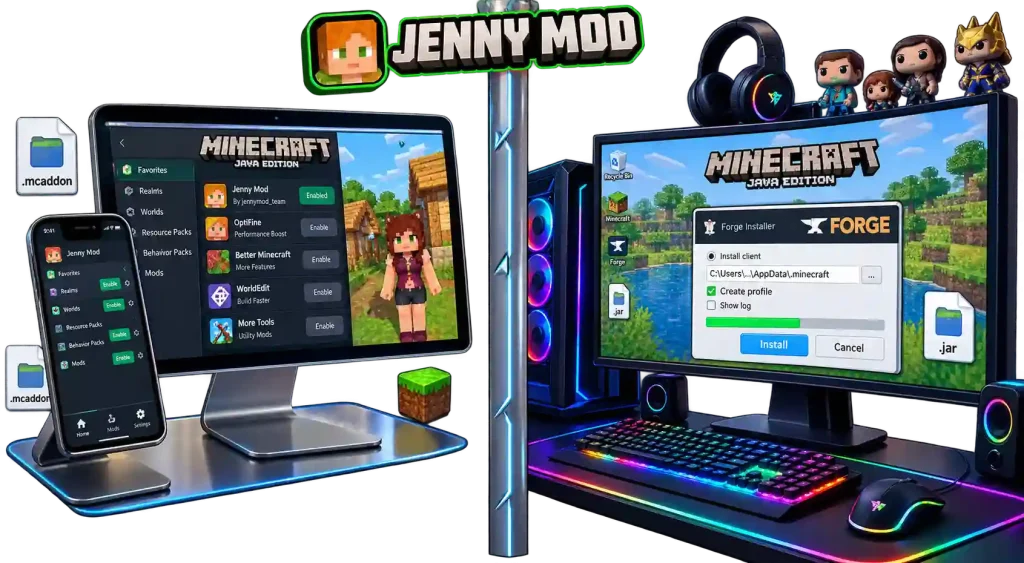
| Feature | Jenny Mod iOS | Jenny Mod Java |
|---|---|---|
| Minecraft Edition | Bedrock | Java |
| Common File Type | .mcaddon / .mcpack | .jar |
| Forge | Not required | Commonly used |
| iPhone Support | Compatible Bedrock add-on | No |
| iPad Support | Compatible Bedrock add-on | No |
| Resource Packs | Common | Different mod system |
| Behavior Packs | Common | Not the normal Forge system |
| APK Required | No | No |
| Characters | Depends on add-on | Depends on version |
This means a Java installation guide should not be copied step by step for iPhone or iPad. The file format, installation process, and available features can be different.
Jenny Mod iOS Features
The features available on iPhone or iPad depend on the specific Bedrock add-on you install. The Jenny Mod creator has never released an Apple version.
Possible features can include:
- Jenny-style NPC characters
- Custom character models
- Dialogue or interactions
- Custom animations
- New companion-style behavior
- Resource Pack changes
- Behavior Pack features
- Custom items or effects
Not every Bedrock version includes all of these features. If a feature is advertised for a specific download, check that it is supported by your Minecraft version before installing it.
How to Download Jenny Mod iOS
A Jenny Mod iOS download should provide a file made for Minecraft Bedrock.
Before downloading, check the format and supported Minecraft version.
Step 1 - Check the File Format
Look for files such as:
- mcaddon
- mcpack
Some downloads may arrive as .zip archives, but the files inside still need to be made for Minecraft Bedrock.
Do not download an Android .apk and expect it to install on an iPhone.
Step 2 - Check Minecraft Compatibility
Read the download information and look for:
- Supported Minecraft version
- Bedrock support
- iPhone support
- iPad support
- Resource Pack requirements
- Behavior Pack requirements
- Required experiments
- Included characters
- Release or update date
Compatibility is more important than choosing a file simply because its page says “latest.”
Step 3 - Download the Add-On
Open the download page in Safari.
Download the compatible Bedrock file and wait for it to finish.
It will normally appear inside:
Files > Downloads
Do not install unrelated browser extensions, configuration profiles, download managers, or extra applications just to access a Minecraft add-on.
How to Install Jenny Mod iOS on iPhone
The common Jenny Mod iOS installation process uses the Files app and Minecraft Bedrock’s import feature.
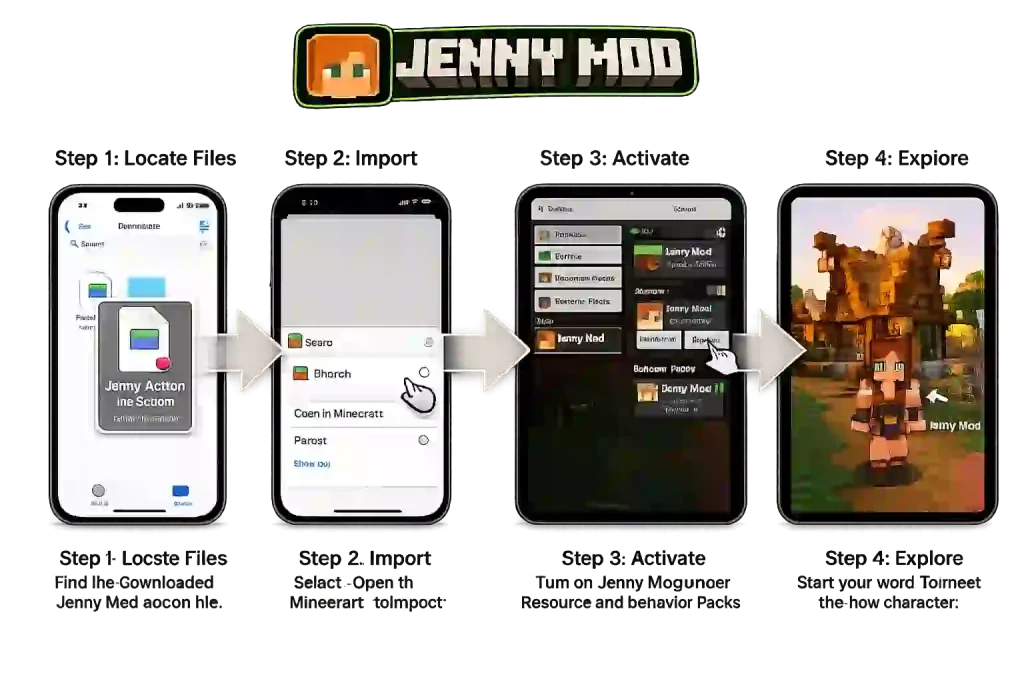
Current community installation guides commonly use the Files > Share > Minecraft process on iPhone and iPad.
Step 1 - Install Minecraft
Install the official Minecraft app from Apple’s App Store.
The App Store identifies Mojang as the developer of the official Minecraft application for iPhone and iPad.
Open Minecraft at least once before importing the add-on.
Step 2 - Open the Files App
After downloading the add-on:
- Open Files.
- Open Downloads.
- Find the .mcaddon or .mcpack file.
- Press and hold it if needed.
If you saved the file to iCloud Drive, open its location there instead.
Step 3 - Open the File with Minecraft
Tap the add-on file.
If Minecraft does not open automatically:
- Press and hold the file.
- Select Share.
- Find Minecraft in the share menu.
- Select Minecraft.
Minecraft should launch and begin importing the add-on.
Step 4 - Wait for the Import
Allow Minecraft to finish importing the pack.
Do not immediately close the application.
If the import works, Minecraft should show a message confirming that the content was imported.
If it fails, the file may be damaged, outdated, incorrectly packaged, or made for another Minecraft version.
How to Install Jenny Mod iOS on iPad
The Jenny Mod iOS installation process on an iPad is almost identical to the iPhone process. If you do get it running, use how to find Jenny in Jenny Mod.
Follow these steps:
- Install Minecraft Bedrock.
- Download the compatible .mcaddon or .mcpack.
- Open Apple's Files app.
- Find the file in Downloads.
- Tap or share it to Minecraft.
- Wait for Minecraft to import it.
- Create a new world.
- Activate the required packs.
- Test the characters.
Minecraft’s official App Store listing supports both iPhone and iPad.
How to Activate Jenny Mod iOS in Minecraft
Downloading and importing Jenny Mod iOS may not automatically turn all parts of the add-on on.
You may need to activate both its Resource Pack and Behavior Pack.
Minecraft’s official support documentation explains that Bedrock add-ons can be enabled through these pack sections in a world’s settings.
Activate the Resource Pack
Open Minecraft and select: Play > Create New World You can also edit an existing world, but testing a new add-on in a new world is safer. Find: Resource Packs > My Packs Select the imported pack and activate it. Resource Packs can control visual parts such as: Textures Character models Sounds Item appearance Other visual assets
Activate the Behavior Pack
Next, open: Behavior Packs > My Packs Find the matching Jenny add-on and activate it. Behavior Packs can control: NPC actions Mob behavior Custom items Interactions Spawning Other gameplay mechanics Both packs may be required for the character to appear and work correctly.
Enable Experimental Settings If Required
Some Jenny Mod iOS community packs may need certain experimental Minecraft features. Only activate them when the instructions for your specific add-on say they are needed. Older tutorials may mention experimental options that have since changed or been removed from newer Minecraft Bedrock releases.
Does Jenny Mod iOS Need an APK?
No. Jenny Mod iOS does not require an APK.
APK files are Android application packages. They are not the normal format for installing a Minecraft Bedrock add-on on an iPhone or iPad.
For iOS, the more relevant formats are:
- mcaddon
- mcpack
This is an important difference because many Minecraft mobile search results mix Android and iPhone instructions.
If a website advertises a Jenny Mod iOS APK, be careful. The wording does not match the normal iPhone add-on installation process.
Is Jenny Mod iOS Available on the App Store?
Third-party apps related to Jenny-style Minecraft content can appear in Apple’s App Store.
For example, a current App Store listing called Jenny Mods and Addons is published by a third-party developer, not Mojang. Another App Store listing called JennyMod Addon MCPE Guide says it is a companion guide and that the mod itself must be installed separately.
This means an App Store app should not automatically be treated as an official Jenny Mod release.
Before installing a third-party app, check:
- Developer
- App description
- Ratings
- User reviews
- In-app purchases
- Privacy information
- What files it actually provides
- Whether it is only an installation guide
There is no reason to assume that an app is official simply because its name contains “Jenny Mod.”
Which Jenny Mod Characters Can Appear on iOS?
The characters included with Jenny Mod iOS depend on the Bedrock pack you install.Community versions may include some of these characters:
- Jenny Belle
- Ellie Walls
- Allie
- Luna
- Bia Prowell
- Bee Girl
- Slime Girl
- Galath
- Manglelie
- Goblin
- Kobolds
Not every iOS version includes the full roster.
One pack may include Jenny and several companions, while another may contain fewer characters but different animations or interactions.
If you want a particular character, check the add-on description before installing it.
Does Jenny Mod iOS Have the Same Features as PC?
Usually not.
A Jenny Mod iOS Bedrock adaptation may look similar to a Java release while working differently behind the scenes.
Possible differences include:
- Fewer characters
- Different spawn eggs
- Changed animations
- Different character models
- Fewer interactions
- Different item mechanics
- Changed spawn locations
- Missing Java features
- Different Resource Packs
- Different Behavior Packs
This happens because Java and Bedrock use different systems for third-party Minecraft content.
A feature shown in a Java gameplay video should not automatically be expected to work on iPhone or iPad.
How to Find Jenny After Installing the iOS Add-On
After Jenny Mod iOS has been imported and activated, create a new Creative Mode world first.
Open your Creative inventory and look for:
- Jenny spawn egg
- Character spawn eggs
- Custom NPC items
- Add-on items
- Custom blocks
Many Bedrock community packs use spawn eggs because they provide a simple way to test whether the characters were installed correctly.
If Jenny does not appear, return to the world’s settings and check both the Behavior Pack and Resource Pack.
Jenny Mod iOS Not Working - Common Fixes
Problems with Jenny Mod iOS usually come from file compatibility, missing packs, or Minecraft updates.
The File Does Not Open in Minecraft
Save the file to Apple's Files app. Then: Press and hold the file. Select Share. Choose Minecraft. This method is also described by current iOS Bedrock add-on installation guides. If Minecraft is not available as an option, check whether you actually downloaded a valid .mcaddon or .mcpack.
Minecraft Says Import Failed
Possible reasons include: Damaged download Incorrect file structure Old add-on Unsupported Bedrock version Missing pack files Incomplete download File not made for Minecraft Bedrock Download the correct file again rather than repeatedly importing the broken copy.
Jenny Is Invisible
If Jenny exists in the world but has no visible model, the Resource Pack may be missing, disabled, or incompatible. Check that the matching Resource Pack is activated.
Jenny Does Not Spawn
Check: Behavior Pack Resource Pack Spawn eggs Minecraft version Add-on version Required experimental settings Pack dependencies Some community versions may also use commands or custom items for spawning characters.
The Add-On Stopped Working After a Minecraft Update
Minecraft updates can break old Bedrock add-ons. If Jenny Mod iOS worked before an update but no longer works, the add-on may need a newer version that supports your current Minecraft release. Reinstalling the same incompatible file may not solve the problem.
Is Jenny Mod iOS Safe?
Jenny Mod iOS is third-party content, so file safety depends on the source and what you are being asked to install.
- A Windows .exe
- An Android APK on iPhone
- A browser extension
- An unknown configuration profile
- An unrelated application
- A survey unlock
- Notification permissions from suspicious sites
- Check the file extension.
- Read the supported Minecraft version.
- Avoid unrelated installers.
- Review third-party apps before installing them.
- Keep copies of important Minecraft worlds.
- Test new packs in a separate world.
- Remove packs that behave unexpectedly.
A site’s claim that its download is “official” or “100% safe” should not be treated as proof.
Is Jenny Mod iOS Official Minecraft Content?
No. Jenny Mod iOS is not an official Minecraft add-on created by Mojang Studios or Microsoft.
The official Minecraft application supports Bedrock add-ons, but Jenny-style packs are third-party creations.
- Minecraft for iPhone and iPad: Official Mojang application.
- Minecraft Bedrock add-on system: Official Minecraft feature.
- Jenny-style add-on: Unofficial third-party content.
Minecraft’s App Store page confirms that the official game itself supports add-ons and custom resource-pack functionality on Bedrock Edition.
Is Jenny Mod iOS Adult Content?
The Jenny Mod name is widely associated with adult-oriented third-party Minecraft content.
Mobile adaptations can differ. Some packs may change or remove mature elements and focus more on NPCs, companion characters, custom models, animations, or other gameplay features.
This guide covers only non-graphic information about Jenny Mod iOS compatibility, installation, file formats, Minecraft settings, characters, and troubleshooting.
Frequently Asked Questions
Can I download Jenny Mod on iPhone?
Yes, if you use a compatible Minecraft Bedrock add-on made for iPhone.The file should normally use a format such as .mcaddon or .mcpack, not a Java Forge .jar.
Can I install Jenny Mod on iPad?
Yes.Download a compatible Bedrock add-on, open it using Apple’s Files app, import it into Minecraft, and activate its required Resource Pack and Behavior Pack.
Is Jenny Mod iOS free?
Many community Minecraft add-ons are distributed without a download charge.However, some third-party App Store applications may contain in-app purchases. Minecraft itself is also a paid application in the App Store.
Do I need Minecraft PE for Jenny Mod iOS?
You need Minecraft on your iPhone or iPad.
The term Minecraft PE or Minecraft Pocket Edition is still widely used by players, but current mobile Minecraft belongs to the Bedrock platform.
Does Jenny Mod iOS work with Minecraft Bedrock?
Yes, an iOS version needs to be made as a compatible Minecraft Bedrock add-on.A Java Forge mod cannot run directly inside Minecraft Bedrock on an iPhone.
Can I use a Jenny Mod APK on iPhone?
No.APK is an Android package format. For normal iPhone and iPad Minecraft add-on installation, look for .mcaddon or .mcpack files.
Do I need Forge on iPhone?
No.
Forge is mainly used with Minecraft Java Edition. Minecraft on iPhone uses Bedrock’s add-on, Resource Pack, and Behavior Pack systems.
Why is Minecraft not opening my MCAddon file?
The file may be damaged, incorrectly packaged, outdated, or not actually built for Bedrock.
Save it to Files and try:
Share > Minecraft
If that still fails, check whether the add-on supports your current Minecraft version.
Is Jenny Mod on the Apple App Store?
Third-party Jenny-related apps are currently listed in Apple’s App Store, but that does not make them an official Mojang Jenny Mod release.
Can Jenny Mod iOS work without jailbreaking?
A normal Bedrock .mcaddon or .mcpack import does not require jailbreaking.Minecraft already supports Bedrock add-ons, Resource Packs, and Behavior Packs through its normal world system.
Final Thoughts
Jenny Mod iOS can work on iPhone and iPad when you use a compatible Minecraft Bedrock add-on. The correct route is to use a .mcaddon or .mcpack file, import it through Apple’s Files app, and activate the required Resource Pack and Behavior Pack inside Minecraft.
Do not confuse Jenny Mod iOS with the Java Forge version or an Android APK. Mobile community releases can differ in characters, animations, features, and supported Minecraft versions, so always check compatibility before importing a pack and test new add-ons in a separate world first.