Jenny Mod GIFs and Animations: and How They Work (2026)
Jenny Mod GIFs are short, looping clips that show movement or reactions from Jenny-themed Minecraft gameplay. Jenny Mod animations are the in-game sequences that move a custom character model, such as walking, idling, waving, or responding to an interaction. A GIF records those movements; it does not install them or unlock an extra feature.
As of November 2026, the widely discussed Java build is associated with Minecraft 1.12.2 and Forge, while separate Bedrock adaptations vary by creator and version. The precise animation library depends on the file installed, so a clip from one release does not guarantee the same action exists in another. This guide explains how to identify clips, test animations, create your own GIFs, and resolve common problems. Want to see these animations in your own world? Start with Jenny Mod for Minecraft and the setup steps.
What Are Jenny Mod GIFs and Minecraft Animations?
A Jenny Mod GIF is an animated image made from a short sequence of frames, often captured from a recorded Minecraft session. A Jenny Mod animation is the movement system inside a particular modification or add-on, not a media file. Keeping those definitions separate helps when comparing downloads, screenshots, gameplay videos, and fan edits.
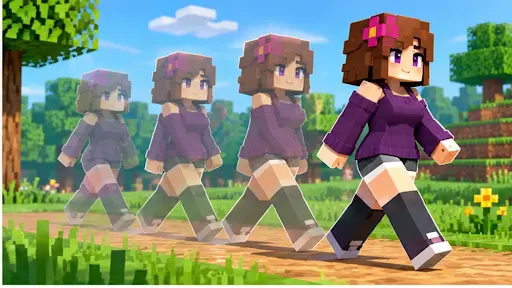
Animations typically involve changes to a model’s position, head angle, arm rotation, or facial expression over time. The game plays those movements when a configured event occurs. A GIF turns a portion of that event into a shareable loop that can appear in a website article, social post, or community discussion.
Every animation belongs to a specific NPC, so meet them all on the Jenny Mod characters page.
How Is a GIF Different From a Screenshot or Video?
A screenshot captures one still frame, while a GIF displays a series of frames on repeat. Standard GIF files have limited colors and no audio. Video files such as MP4 generally preserve smoother movement at smaller sizes and can include sound, although they require a video player or embedded playback element.
Format | Best use | Main limitation |
GIF | Short looping animation preview | Limited colors; can be large |
WebP animation | Smaller looping visuals for modern sites | Platform support should be tested |
PNG | Character render or step screenshot | No movement in a single PNG |
MP4 | Longer demonstrations and comparisons | Needs video playback |
Which Jenny Mod Animation Types Can You See?
Community demonstrations commonly show movement cycles, idle poses, gestures, and interaction reactions. The exact set differs among mod versions and fan-made adaptations. Treat named animation types as categories to check rather than promises that every release offers the same menu, timing, or character behavior.
When evaluating an animation GIF, watch for a complete movement from start to finish. A short loop may hide the beginning of a trigger or a failed transition. Longer footage is more reliable for checking whether an interaction actually works during normal gameplay.
To see how these moves look during a real session, watch the Jenny Mod gameplay breakdown.
What Are Idle and Standing Animations?
Idle animations occur when a character is not actively traveling or performing another action. They may include looking around, shifting posture, blinking, or small gestures. A clean idle GIF is easy to loop because the first and last poses can be similar, making the transition less noticeable.
What Do Walking and Running Animations Show?
Walking cycles move a character’s legs, arms, and body in repeating patterns. Faster movement may use a different cycle or speed, depending on the build. To compare two clips fairly, record the character from a similar camera angle and keep the frame rate consistent.
Which Interaction and Reaction Animations Are Available?
Some Jenny-themed builds include responses to dialogue, following commands, item use, or gifts. These sequences are triggered by the particular mod’s rules rather than by GIF playback. The familiar character name alone does not identify which reactions, commands, or gestures are supported by a downloaded add-on.
The animated models ship inside the Jenny Mod CurseForge download.
How Can You Watch Jenny Mod Animations in Minecraft?
To view animations inside the game, first load a compatible edition and mod package, then enter a test world and observe the character. Minecraft Java modifications typically need a matching loader, whereas Bedrock add-ons use resource and behavior packs. Always follow the requirements stated by the specific package you installed.
Begin with ordinary movement and idle behavior before testing character interactions. This order helps identify whether missing movement is caused by an installation failure, an unloaded character model, or a particular action that your version does not contain.
Can’t spot her in your world yet? Here’s how to find Jenny in Jenny Mod.
How Do You Test Animations in Java Edition?
Back up your saves and make a separate test profile for the mod.
- Confirm the installed Minecraft version and the Forge build required by the downloaded .jar.
- Place the compatible mod file in the selected game profile’s mods directory.
- Launch the matching profile and verify that the mod is loaded.
- Open a Creative test world, locate or spawn the supported character, and observe movement.
- Try only the dialogue or interaction controls described for your build.
For the often-referenced Java setup, Minecraft 1.12.2 and matching Forge are commonly documented. Other downloads can claim newer compatibility, but these claims must be confirmed against the actual file and publisher notes. Do not use an unrelated executable installer when a mod package requires only a .jar file.
Minecraft Bedrock cannot load Java Forge .jar files. A Bedrock adaptation instead imports .mcpack or .mcaddon content and may need both behavior and resource packs activated in the world settings. Different adaptations can have different animation controllers, trigger rules, and available character models.
- Import the add-on package supported by your Minecraft Bedrock version.
- Create a new world rather than changing an important save.
- Enable the required behavior pack and resource pack.
- Apply experiment settings only if the pack documentation says they are necessary.
- Enter the world and test the character’s movement and interactions.
How Do You Make Your Own Jenny Mod GIF?
Creating an original GIF requires gameplay footage or a series of images that you are permitted to use. Record a short, non-explicit animation sequence, trim the clip, and export a repeating image. Good GIFs focus on one clear action instead of trying to summarize an entire gameplay session.
For WordPress publishing, consider whether a short MP4 or animated WebP will load faster than a GIF. The ideal choice depends on browser support, file size, accessibility, and how the image will appear on mobile devices.
Curious who built the models and animations? Read about the Jenny Mod creator.
What Is the Step-by-Step Recording Process?
- Open your Minecraft test world and set a stable camera angle.
- Record five to ten seconds of the chosen motion using a trusted screen recorder.
- Trim away loading screens, menus, and unrelated actions.
- Crop the clip so the character stays visible throughout the motion.
- Export a short GIF or animated WebP at an appropriate resolution.
- Preview the loop and reduce its frame count or dimensions if the file is too large.
How Can You Make a GIF Loop Smoothly?
Choose a clip that returns close to its starting pose. For a walking GIF, one complete step cycle usually loops better than an arbitrary cut through a stride. For a waving GIF, include the return to the resting hand position so the repeated movement does not jump abruptly.
A frame rate around 10–15 frames per second can be adequate for many small website GIFs, but actual results depend on the movement. Compare the final file visually rather than assuming a particular frame rate or duration is always optimal.
Where Can You Find Jenny Mod GIFs Safely?
Jenny Mod GIFs may appear in fan galleries, community posts, short videos, and tutorials. However, the clip’s title is not proof that it comes from an original mod release. Video editing, custom maps, character skins, and unrelated add-ons can produce visually similar footage.
Use source descriptions that identify the Minecraft edition, mod version, and creator where possible. Avoid files that require browser extensions, suspicious installers, or unrelated downloads just to view an animation. Many Jenny-themed releases include mature material, so check the destination before sharing it publicly.
On an iPhone, check Jenny Mod iOS before you expect these animations to run.
How Do You Verify Whether an Animation Is Real?
Look for an uninterrupted gameplay recording rather than only a short edited GIF.
- Check the reported Minecraft edition and mod loader.
- Compare the character and movement with your own test installation.
- Check whether the caption discloses editing, a remake, or a separate animation pack.
- Do not assume a GIF grants permission to reuse somebody else’s artwork.
Why Are Jenny Mod Animations Not Working?
Animation failures usually arise from edition mismatch, incompatible files, missing resource packs, or a feature that the installed build does not contain. Frame-rate problems can also make otherwise functional movements appear jerky. Troubleshooting is easier when you test one mod or add-on in an isolated world.
Before downloading another file, identify whether the character fails to appear, appears without motion, or moves but does not respond to an interaction. These are different problems with different likely causes, and the distinction can save time.
Problem | Likely explanation | First check |
Character missing | Mod or add-on not loaded | Correct edition and profile |
Frozen or T-pose model | Missing animation or model data | Dependencies and packs |
No dialogue reaction | Trigger absent or incorrect | Build documentation |
Laggy movement | Low frame rate or conflicts | Clean test world |
GIF does not animate | Exported as a still image | GIF/WebP export options |
Why Does the Character Move but Not React?
A character may use a basic movement cycle even when optional reactions are missing. Confirm that the particular build documents the action you are trying to trigger, then check the interaction key and the current game mode. An unrelated online GIF may show a feature from another community release.
Reduce graphics settings, disable conflicting shaders, and test with fewer modifications. Record video only after gameplay is stable because a recording application also consumes system resources. If a GIF itself looks choppy, inspect the source video and the exported frame rate separately.
Are Jenny Mod GIFs Different on Java and Bedrock?
Yes. Java mods and Bedrock add-ons use different content systems, and a character recreation may have its own models, behaviors, and animation data. Java gameplay footage should not be presented as a verified preview of a mobile add-on unless the same action has been tested there.
If you maintain a comparison page, label each clip with its edition and build. This provides a more useful answer than listing unsupported claims about universal animation counts or identical controls across platforms.

How Should You Optimize Jenny Mod GIFs for SEO?
A GIF page should explain the content of each animation in visible text rather than relying entirely on a moving image. Use descriptive filenames, meaningful alt text, captions, and relevant headings. Readers and search engines both benefit when the page states what the clip demonstrates and which version was used.
Avoid embedding several large autoplaying GIFs at the top of the page. Compressed WebP or short video clips can improve page loading performance, particularly on mobile. Provide pause controls or a still alternative when repeated motion could be distracting.
What Filenames and Alt Text Should You Use?
jenny-mod-idle-animation.webp :Jenny-themed character demonstrating idle poses in a voxel scene.
- jenny-mod-walking-cycle.webp : Illustration of successive walking animation frames.
- jenny-mod-gift-reaction.webp :Minecraft-style character reacting to a flower gift.
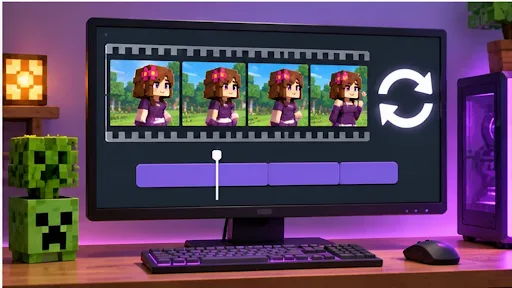
- jenny-mod-gif-editor.webp Timeline showing how a short character animation becomes a looping clip.
These example illustrations are original concept artwork, not captured footage from a tested game build. Use the same distinction when publishing fan art, mockups, and actual gameplay media on minecrafts-jenny-mod.com.
Frequently Asked Questions
What is a Jenny Mod GIF?
A Jenny Mod GIF is a short looping image that displays a recorded character movement or interaction. It is a media preview, not a mod file.
What are Jenny Mod animations?
They are movement sequences associated with custom character models, such as walking, idle gestures, and reactions.
Does Jenny MoAre GIFs part of the Jenny Mod download?d require Forge?
Not necessarily. Gameplay animation is built into particular mod files; GIFs are normally created separately by recording gameplay.
Which Minecraft version is most associated with Jenny Mod?
Many community guides describe Java Edition 1.12.2 with a matching Forge installation. Always confirm compatibility with your specific download.
Can Jenny Mod GIFs play on mobile?
An ordinary GIF can display on mobile browsers, but that does not mean the depicted animation is available in Minecraft Bedrock or MCPE.
Can I use Jenny Mod GIFs on my website?
Use your own captures or media for which you have reuse permission. Add alt text and avoid presenting illustrations as authentic gameplay screenshots.
Why is my GIF not moving?
It may have been exported as a still image, converted incorrectly, or displayed in software that does not support its animation.
Is Jenny Mod official Minecraft content?
No. Jenny Mod is third-party software and is not created, reviewed, or endorsed by Mojang Studios.
Conclusion
Jenny Mod GIFs make it easy to preview short character movements, while Jenny Mod animations are the actual motion sequences supplied by a specific Minecraft mod or add-on. Common categories include idle poses, walking cycles, and interaction reactions, but availability differs by release.
For the clearest results, verify the edition, test each action in a fresh world, and label any recorded media accurately. When publishing on minecrafts-jenny-mod.com, use compressed visuals and useful descriptions so visitors can understand the animations without relying on an unlabeled clip.